





Welcome to the Town of Yarmouth
On the Edge of Everywhere


Community News
Please be advised that more curb work is planned, beginning as early as Tuesday, September 15th, on
...
Community News
Please be advised that the traffic lights at the intersection of Main Street and Forest Street are
...
Community News
Please be advised that there will be no transit service on Monday, September 7th because of the
...
Press Releases
Yarmouth Town Council has approved a balanced operating budget of $28,710,919 for the 2026-27
...
Public Hearing and Notices
This is to serve notice that the Council of the Town of Yarmouth at its meeting on August 13, 2026
...
Public Hearing and Notices
A Public Hearing will be held on Thursday, August 13th, 2026, at 6:30 pm in council chambers,
...
Public Hearing and Notices
This is to serve notice that the Council of the Town of Yarmouth at its meeting on July 9, 2026, at
...
Public Hearing and Notices
A Public Participation Meeting will be held on Tuesday, July 7, 2026, at 6:00 p.m. in the Town
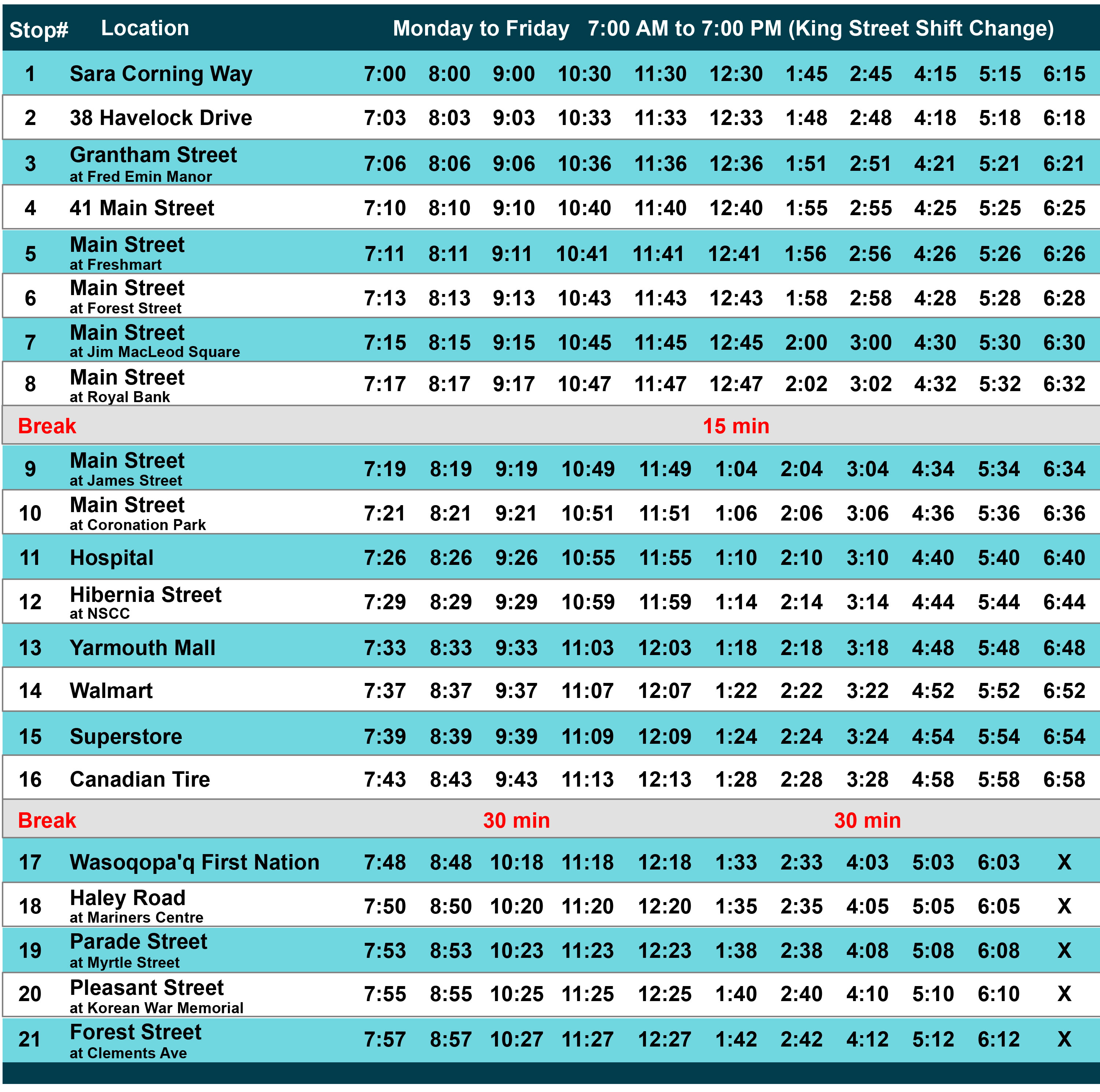
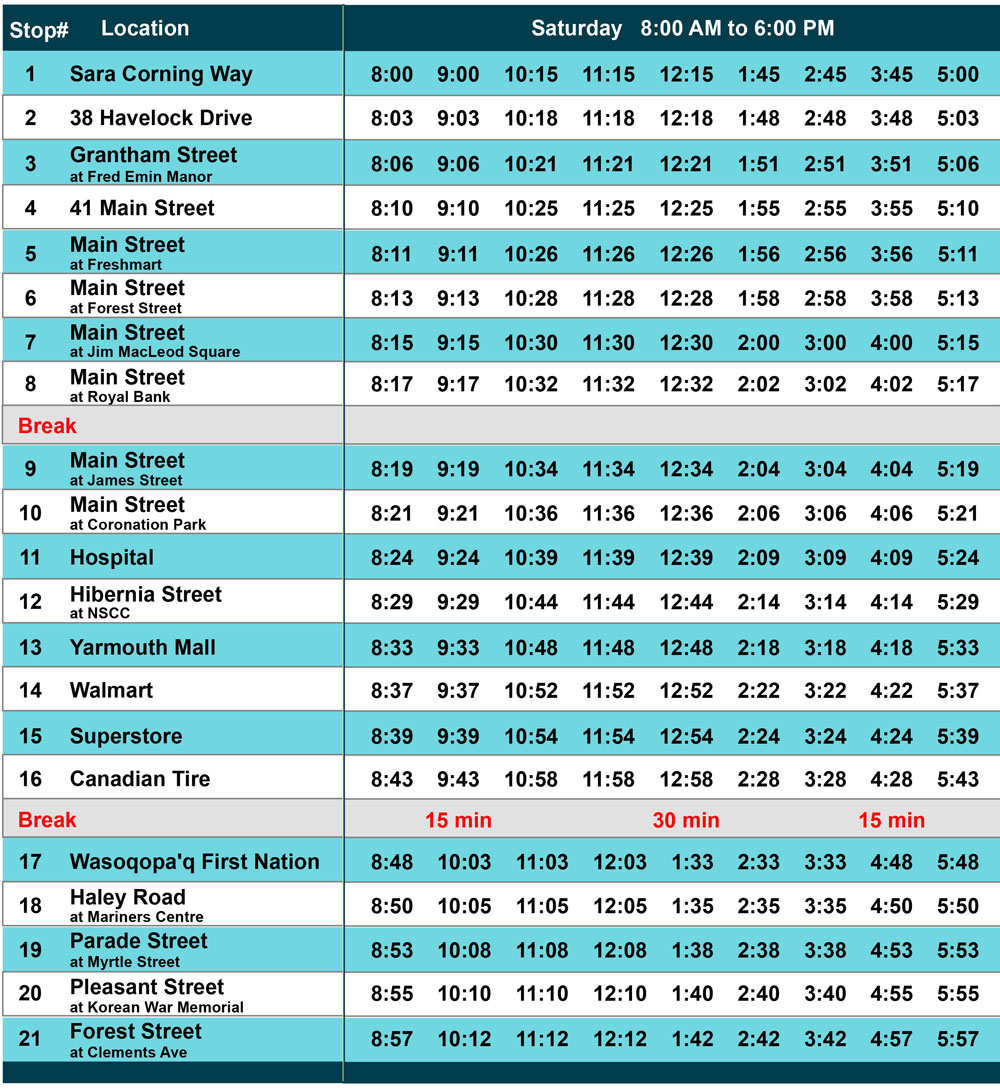
... Town of Yarmouth Transit uses a flag‑stop system. You may board or leave the bus at designated stops or flag it anywhere on the route except Starrs Road and parts of Main and Vancouver Streets (see map and schedule below).
Tell the driver where you want to get off and ask them to stop at a safe place nearby (good visibility and a clear place to stop).
Flag stops make the service more flexible and accessible. Route usage helps the Town plan future stop locations and route changes.
No service on Sundays or these holidays: New Year’s Day, Heritage Day, Good Friday, Victoria Day, Canada Day, Labour Day, Thanksgiving Day, Christmas Day, Boxing Day. Service‑closure notices are posted before each date.
See the route and schedule below or pdf download the Transit Brochure (PDF)(4.63 MB) for the full map, stops and times. Paper copies are available at Town Hall, 400 Main Street.

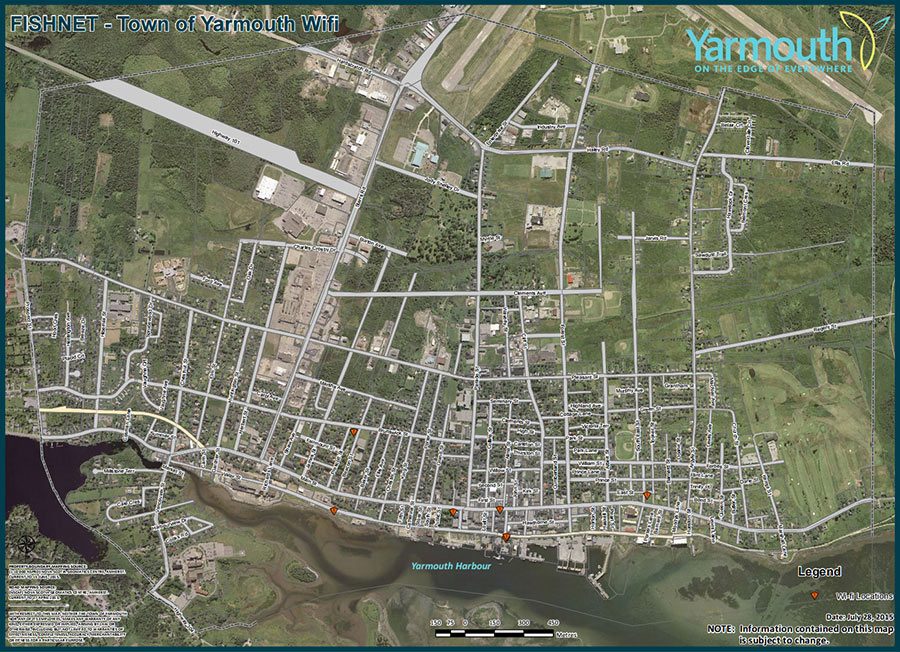
The Town of Yarmouth provides wireless internet coverage in the downtown core through a service called "FISHNET". Whether you’re living in Yarmouth, visiting, or doing business in the area, it’s a great way for you to connect with the world around you.
Western Counties Regional Library
405 Main St.
Yarmouth, NS B5A 1G3
(902) 742-2486 ext. 243
Cape Forchu Lighthouse
1856 Cape Forchu Rd.
Yarmouth, NS B0W 1E0
(902) 742-4522
The health and safety of Yarmouth's residents are safeguarded by our emergency services and public health facilities. We're also committed to health and safety through our by-laws and services, such as active living and senior services.
Yarmouth Regional Hospital serves people in Yarmouth, Shelburne and Digby counties (about 58,000). Services include emergency care, diagnostic imaging (CT, MRI), renal/dialysis services, mental‑health and addictions supports, physiotherapy, cancer supports and other clinics.
If you need help right away: Call 911 for emergencies. For non‑emergency health advice, call 811 (24/7). For social and community referrals call or text 211 or visit ns.211.ca (toll‑free 1‑855‑466‑4994 from outside NS).
Register with the Need a Family Practice Registry online, or register by phone through HealthLink 811 (phone registration hours noted on the registry site).
Call 1‑800‑225‑7225 (toll‑free) to connect with Continuing Care for home care, long‑term care placement, adult protection and related services. Intake hours: 8:30 a.m.–4:30 p.m., seven days a week. You can also contact them by visiting Continuing Care.
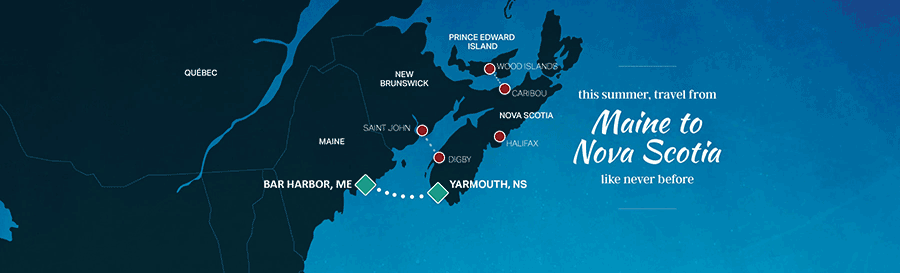
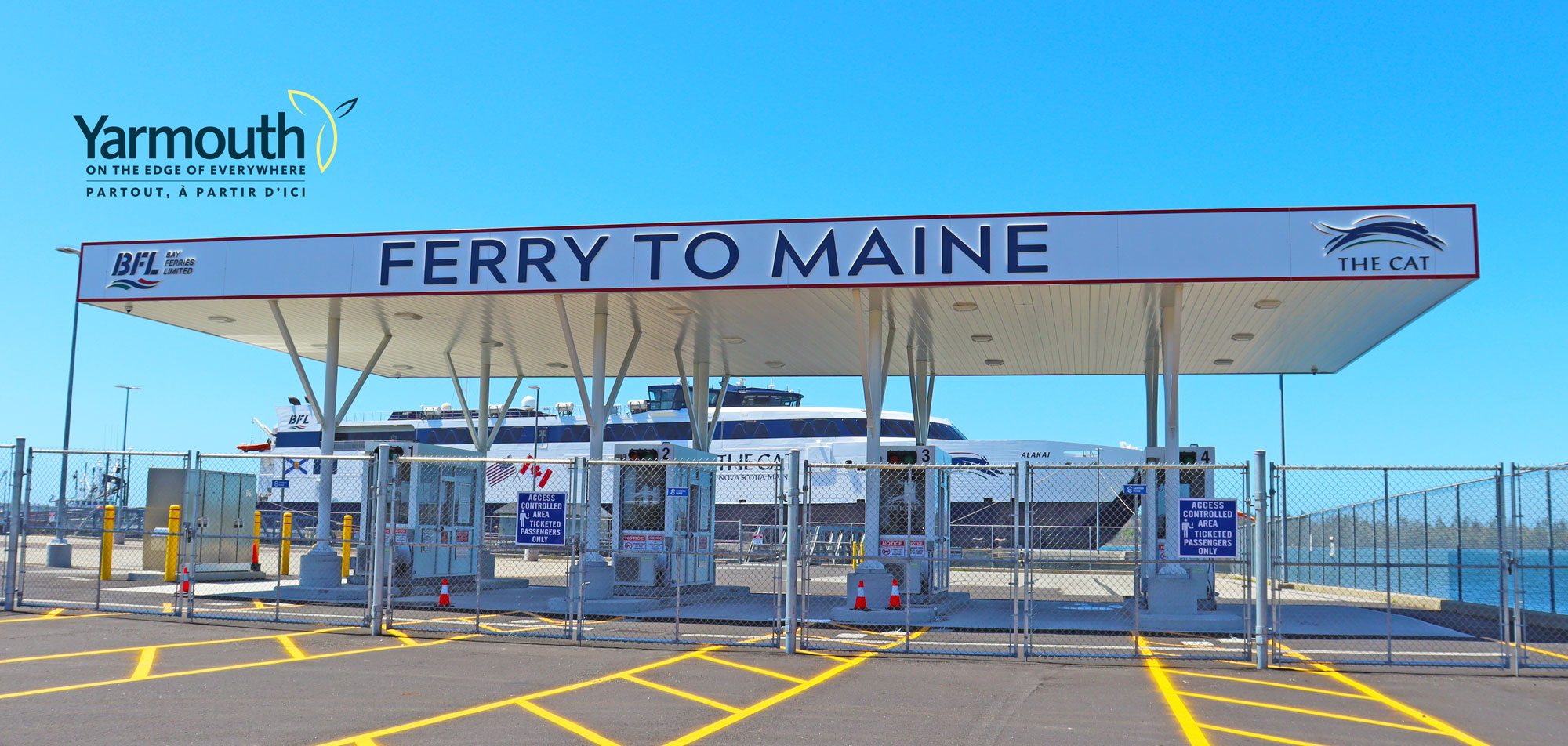
The CAT ferry provides fast crossings between Bar Harbor, Maine and Yarmouth, with a 3.5-hour transit time. The ferry cuts travel time compared with driving and offers comfortable onboard amenities:
 Gift Shop
Tips: Book early in peak season and call ahead for pet reservations.
To learn more about the schedule and booking your trip, please visit The CAT Ferry - Between Nova Scotia & Maine.


| 26 Sep 2026; 12:00AM Walk YOUR Way 2026 – Autism Nova Scotia |
| 08 Oct 2026; 06:30PM - Town Council Meeting |
| 12 Nov 2026; 06:30PM - Town Council Meeting |
| 10 Dec 2026; 06:30PM - Town Council Meeting |


